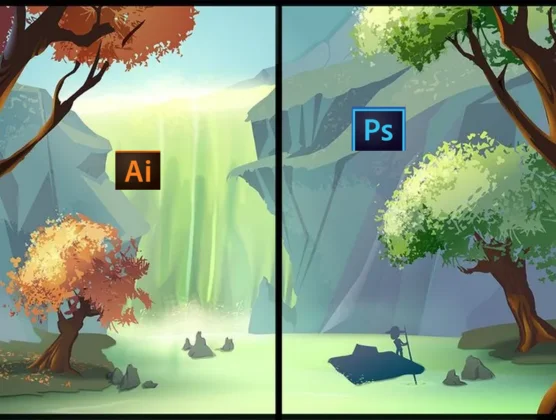
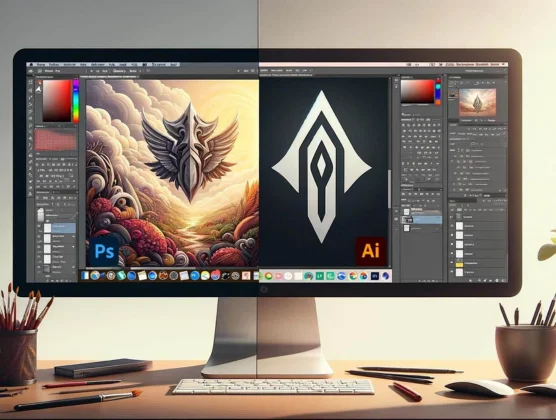
Photoshop and Illustrator are both Adobe powerhouses—Photoshop excels at photo editing, while Illustrator is ideal for scalable vector-based graphic design.
Key Difference: Photoshop vs Illustrator
Photoshop
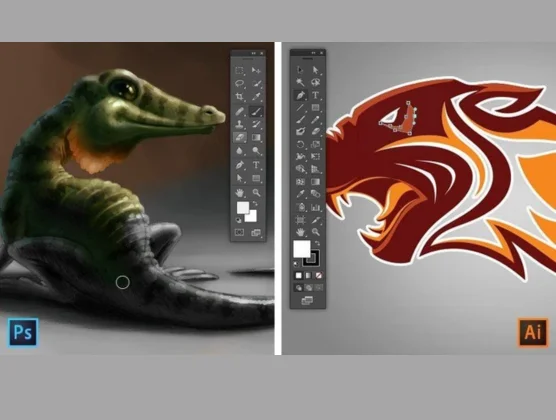
Works with raster (pixel-based) images.
Ideal for photo editing, retouching, and digital painting.
Offers layer-based editing and pixel precision.
Suitable for web graphics, photo composites, and mockups.
Not resolution-independent—images can pixelate when scaled.
Illustrator
Works with vector graphics (scalable without quality loss).
Best for logo design, icons, and illustrations.
Uses paths, shapes, and anchor points for clean design.
Perfect for print, branding, and scalable designs.
Resolution-independent—art stays sharp at any size.
Design Capabilities
Photoshop is perfect for photo editing, retouching, and image manipulation using powerful adjustment and filter tools.
Illustrator is built for creating logos, icons, and illustrations that scale without losing quality.
Photoshop supports advanced layer-based compositions for creative image projects and graphics.
Illustrator offers precision drawing tools like the Pen and Shape tools for detailed vector design.
Photoshop works best for web graphics, mockups, and digital painting.
Illustrator excels in designing typography, infographics, and print-ready artwork.
Workflow & Interface
Photoshop provides layer masks, blend modes, and a pixel grid for detailed visual edits.
Illustrator uses artboards, paths, and anchor points for organizing vector elements.
Photoshop has a photo-focused layout ideal for color correction and retouching.
Illustrator uses precise alignment and snapping tools for clean, structured layouts.
Photoshop allows brush and texture customization for painting and effects.
Best Use Scenarios
Photoshop is best for editing portraits, landscapes, product photos, and creating promotional graphics.
Illustrator is perfect for logo design, branding, and scalable print materials.
Photoshop helps design social media posts, web banners, and digital ad content.
Illustrator creates vector illustrations, patterns, and detailed flat graphics.
Photoshop is great for artists, photographers, and digital content creators.
Illustrator is ideal for graphic designers, typographers, and brand identity experts.
Compatibility & Output
Photoshop exports to web formats like PNG, JPG, and layered PSD files for editing across Adobe apps.
Illustrator exports to scalable formats like SVG, AI, and PDF for clean print and screen use.
Photoshop integrates seamlessly with Lightroom, Adobe Camera Raw, and After Effects.
Illustrator integrates with InDesign and supports creative assets for print and web.
Photoshop requires higher-resolution images to prevent pixelation on large formats.
Illustrator ensures sharp, resolution-independent results regardless of size.
Pick the Tool That Matches Your Creative Goal
Choose Photoshop for raster photo work; go with Illustrator for vector design and scalable artwork—many professionals use both together.
 English
  Français
 Español
 한국어
한국어